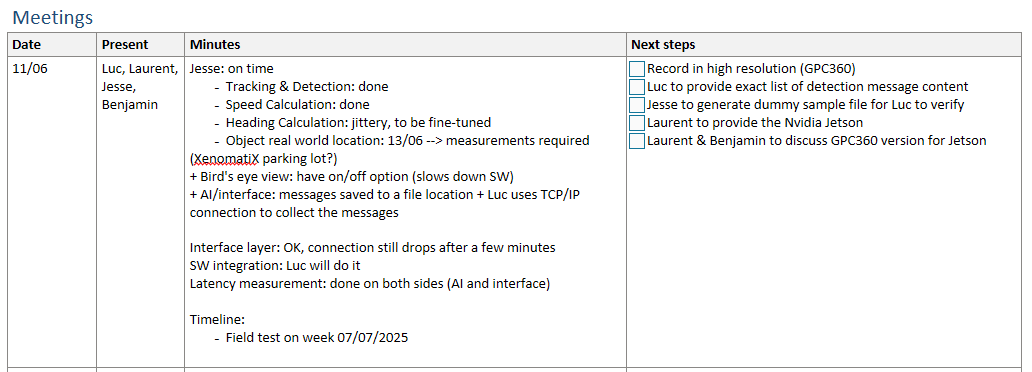
Had a meeting with Benjamin and Jesse.
These were the points:
- Send JSON example to Jesse, for 5G alert determine required fields
- AI detection information will be stored as file with timestamp in filename in specific directory
- Finish logging implementation : store records to ndjson file
- Log throughput time in ndjson log files
- Discussion about timing: one option was to take GPS as a common absolute time-source, the 5G modem has a GPS antenna input
- Prepare for NVidia Jetson operation, make sure it compiles on WSL first
Supposedly simplest thing to do is run Visual studio Code on jetson - Interface with detection should be working before 27/6
From Benjamin
Sending JSON to Jesse
5G alert supports the use of simulation files.
To create a simulation file, run Xenomatix_Simulation.exe. This will create C:\Xenomatix_5GAlert\out\build\x64-Debug\point_data_list.bin.
To use it specify this file "point_data_list.bin" as an argument for Xenomatix_5GAlert.exe.
In a CMake project it is a bit less straightforward then in a Solution:
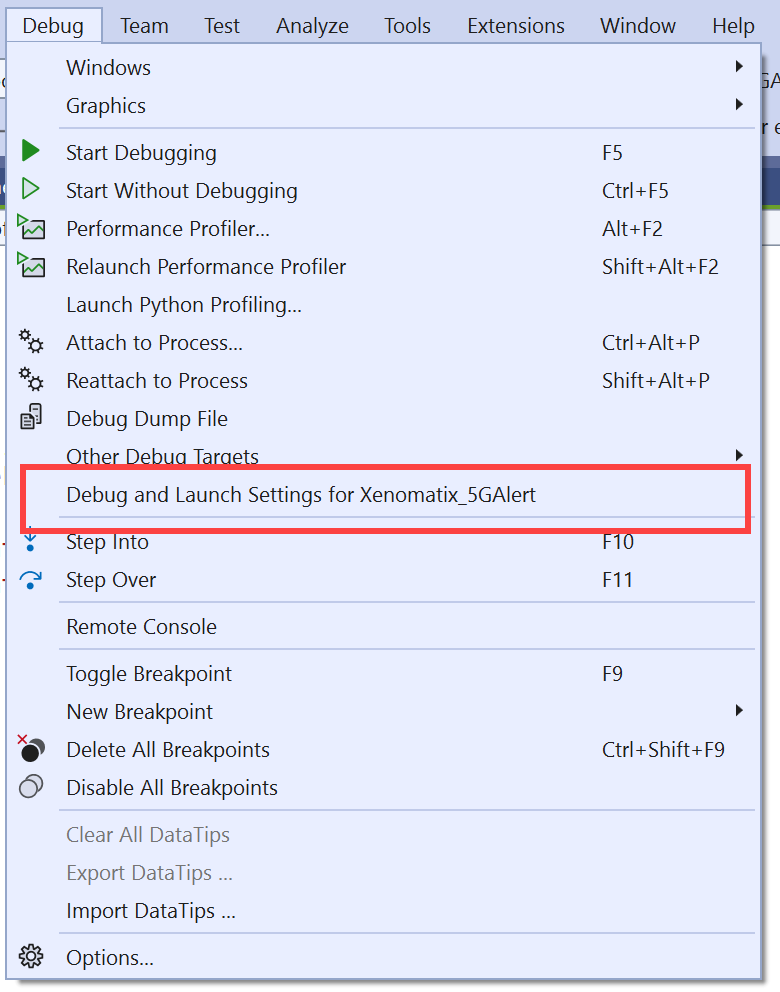
This opens a JSON file where you need to add args:
{
  "version": "0.2.1",
  "defaults": {},
  "configurations": [
    {
      "type": "default",
      "project": "CMakeLists.txt",
      "projectTarget": "Xenomatix_5GAlert.exe",
        "name": "Xenomatix_5GAlert.exe",
        "args": [ "point_data_list.bin" ]
    }
  ]
}
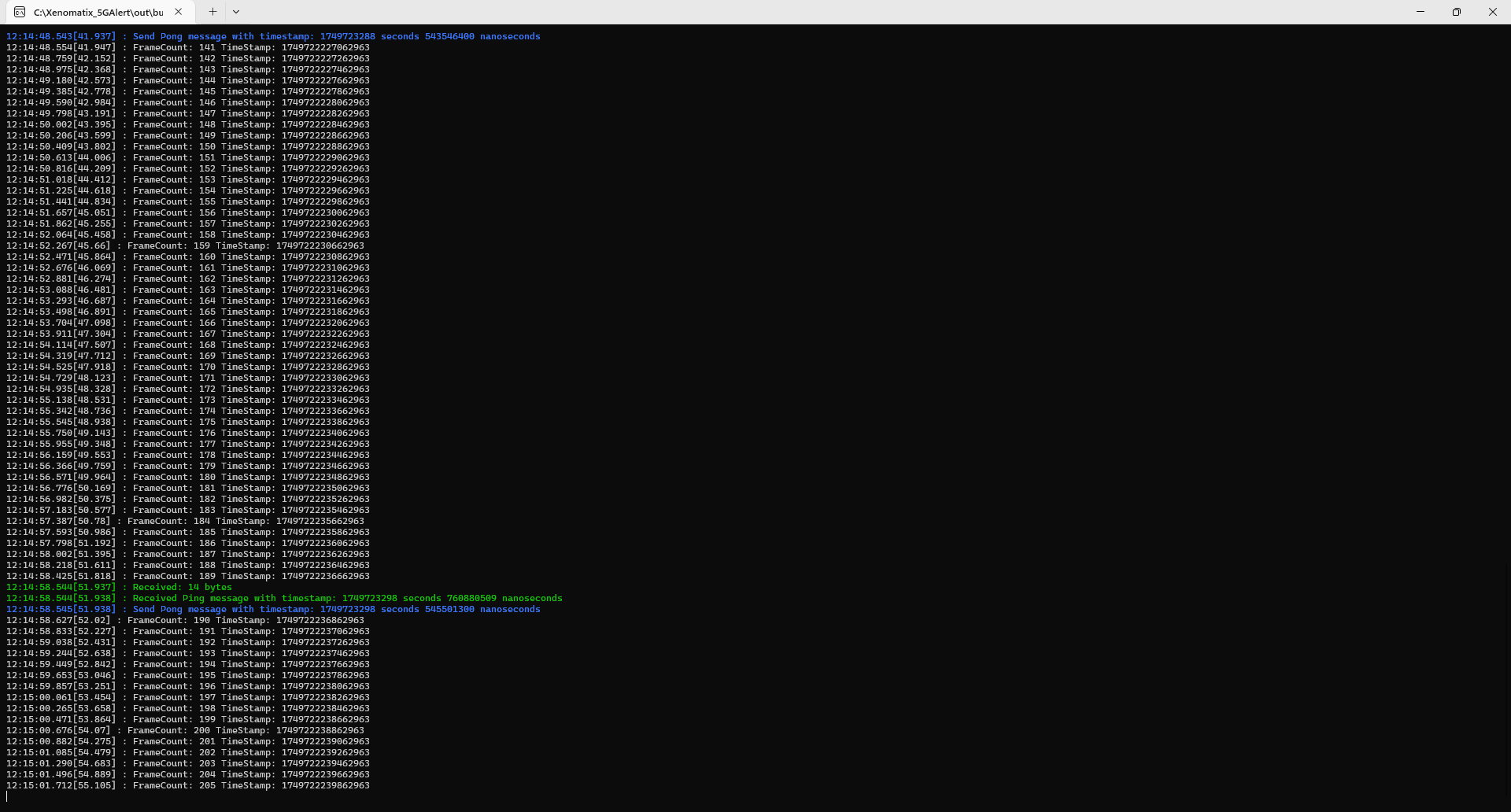
If this file is read then you will see Frame prints on the screen