

This mindmap was created as follows:
- Create project and tasks in https://edu-ctech.odoo.com/odoo/action-552?view_type=list this is currently the default Odoo database for Claude Desktop
In Claude prompt :
get from odoo project information with task names and transform into text that can be used to create a mermaid mindmap, limit to project and task, not the subtasks, also don't group by stage- Paste the result in mermaid use as style
---
config:
theme: redux-color
---
So a full text for pasting in mermaid is
---
config:
  theme: redux-color
---
mindmap
  root((Odoo Projects))
    Comau
      No Subject
      Presentation
      Planning
      Quotation
    DiaWizard
      License via Google Cloud
      AI fitting + classification
    Inventory
      Containerpark
      Schappen
      Kleine proef in edu
    Odoo Partner
      LK Metrology
      Xenomatix
      Wens trappen
      Gebo
      Tandarts
      SJeegers Transport
      Op de Beeck
    OutlookDate
      Use Apertus
      Benchmark finetune
    Sioux
      Feedback movie
    Vicon
      Nasa
      Bugs
I also created a skill in Claude so that we have a standard format when creating a mindmap from Odoo. This way we can simply ask : "Create a mindmap for the Odoo projects"
Upsell
Turns out that the mermaid code in the main CTech database triggered an upsell.
Here is the quotation Offerte_SO2025_7082989.pdf
To find it back: enable monkey and go to technical server actions
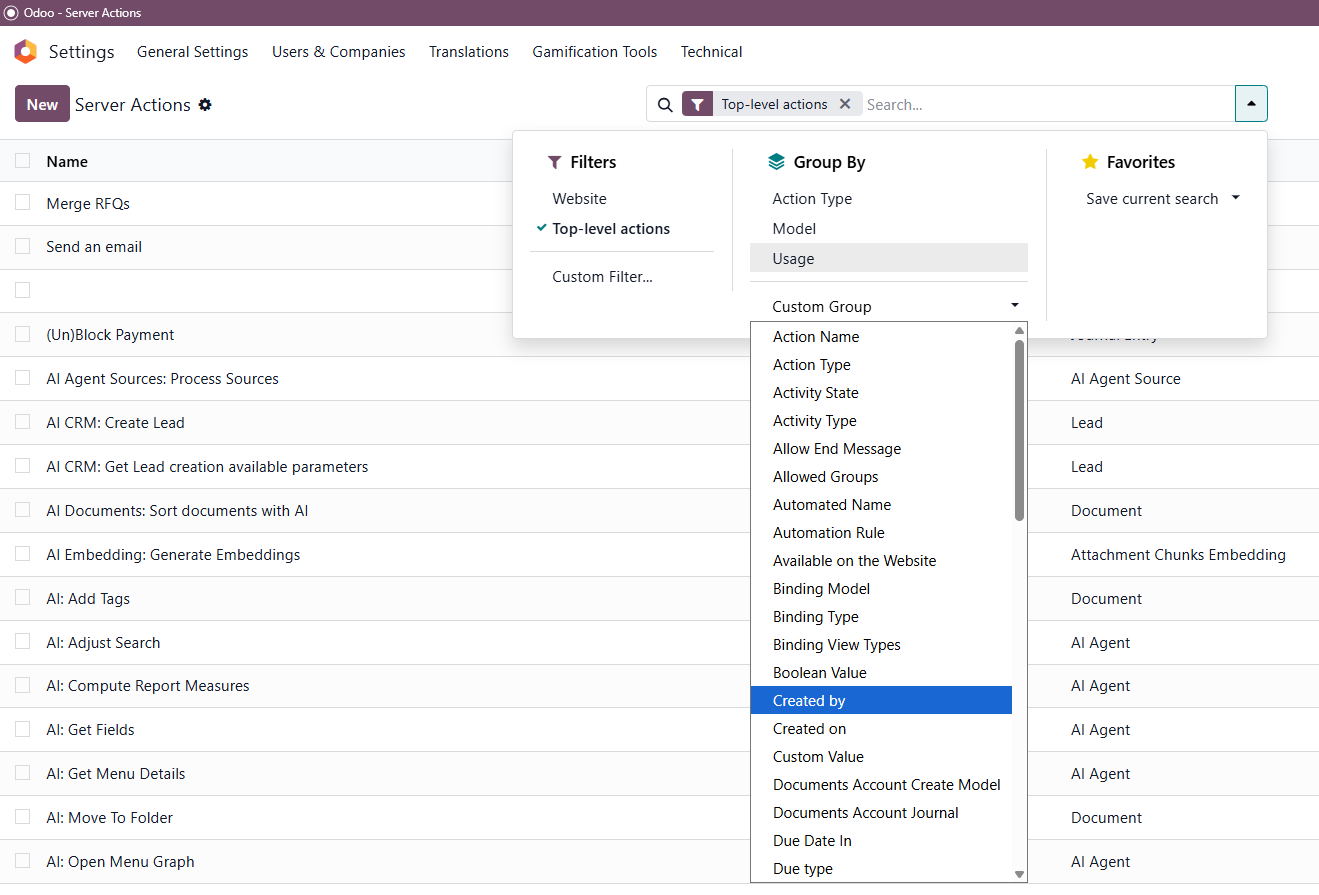
Here is the original mermaid code
# 1. Initialize the Mermaid Mindmap Syntax
mermaid_lines = ["mindmap", "  root((Portfolio))"]

# 2. Loop through selected projects
for project in records:
    # Sanitize project name (remove special chars that might break syntax)
    p_name = project.name.replace('(', '').replace(')', '').strip()
        # Indent Level 1: Project
    mermaid_lines.append(f"    {p_name}")
        # 3. Get tasks for this project
    # We use sudo() to ensure we can read tasks even if permissions are tight
    tasks = env['project.task'].sudo().search([('project_id', '=', project.id), ('active', '=', True)])
        for task in tasks:
        # Sanitize task name and truncate if too long
        t_name = task.name.replace('(', '').replace(')', '').strip()
        if len(t_name) > 30:
            t_name = t_name[:27] + "..."
                    # Optional: Add an icon or color based on stage
        # e.g. "::icon(fa fa-check)" if stage is Done
        icon = ""
        if task.stage_id.fold: # If stage is folded (usually "Done")
            icon = " ::icon(fa fa-check-circle)"
                # Indent Level 2: Task
        mermaid_lines.append(f"      {t_name}{icon}")

# 4. Join all lines into a single text block
full_text = "\n".join(mermaid_lines)

# 5. Create a temporary record to display the text
# REPLACE 'x_mermaid_export' AND 'x_mermaid_code' WITH YOUR ACTUAL STUDIO NAMES
export_model = 'x_mermaid_export'
field_name = 'x_mermaid_code'

# Create the record
wiz = env[export_model].create({field_name: full_text})

# 6. Return an action to open this record in a modal (pop-up)
action = {
    'type': 'ir.actions.act_window',
    'res_model': export_model,
    'res_id': wiz.id,
    'view_mode': 'form',
    'view_type': 'form',
    'target': 'new', # This opens it as a pop-up
    'name': 'Copy Mermaid Code',
}