
Intro
We used to do this with Word and Outlook.
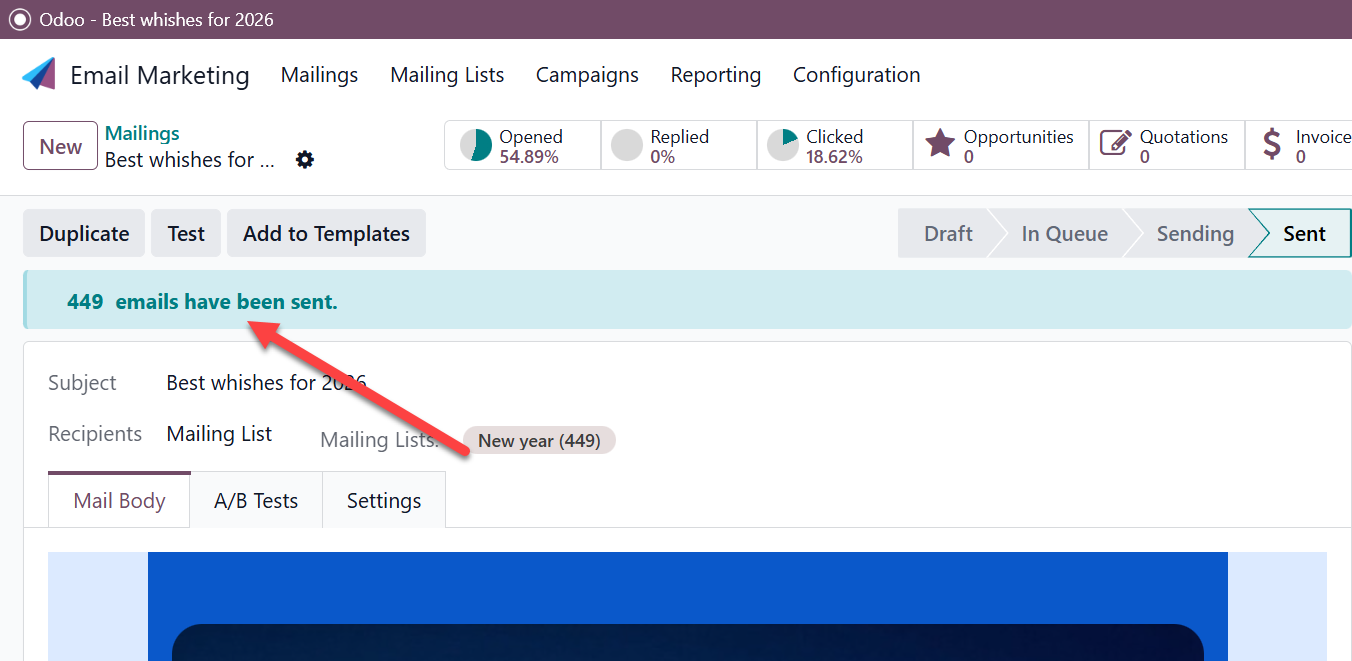
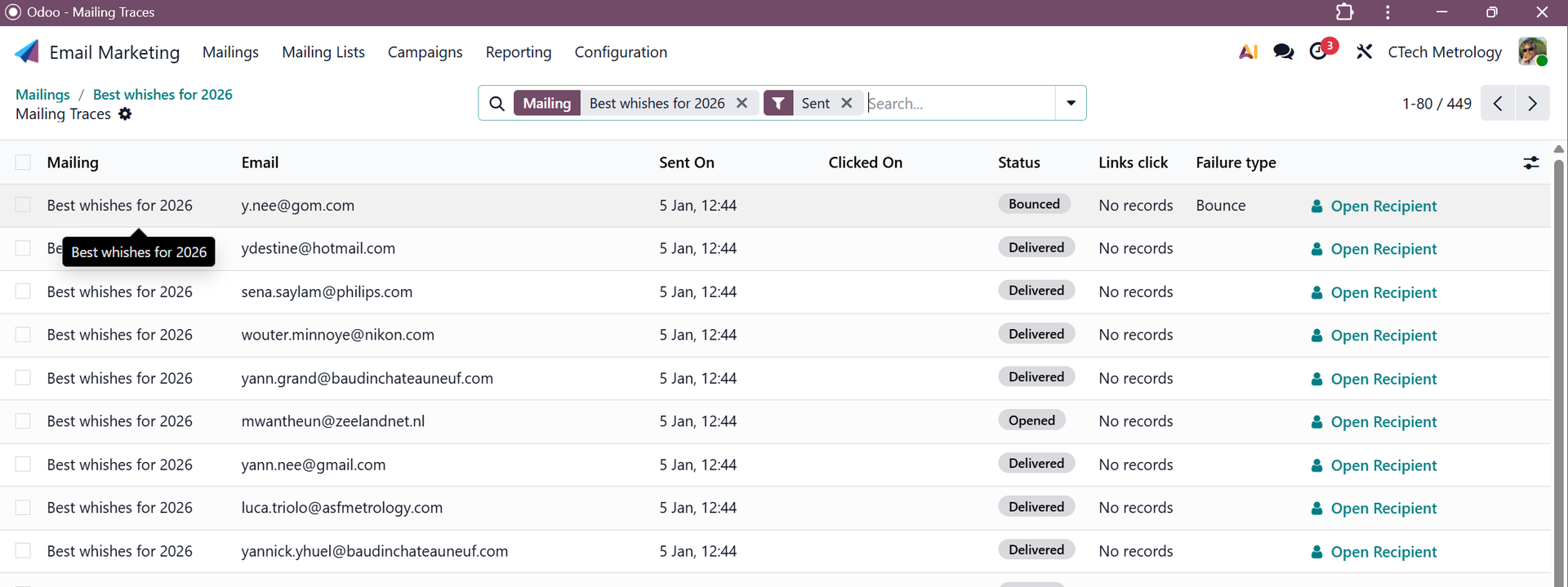
With Odoo however, it is easier to perform a follow up since with it we can see how many have:
- Bounced: e-mail no longer exists, so the person is no longer with organisation
- Delivered
- Opened
- Clicked : when there is a link to a website inside
So the marketing campaign is something availabe in odoo.
To create the mailing list, something new was needed. We did do this in the past by exporting the E-mail adresses, but then we still needed to do alot of manual filtering and typing/correcting the name that we can use in Dear ....
For this we made a small AI proces
Mail scanner
https://github.com/lucwens/OutlookMailScanner.git
Clone if not done yet, open visual studio code in the folder and in terminal (open with ctrl+`)
.\.venv\Scripts\activate.bat
.\gui.py
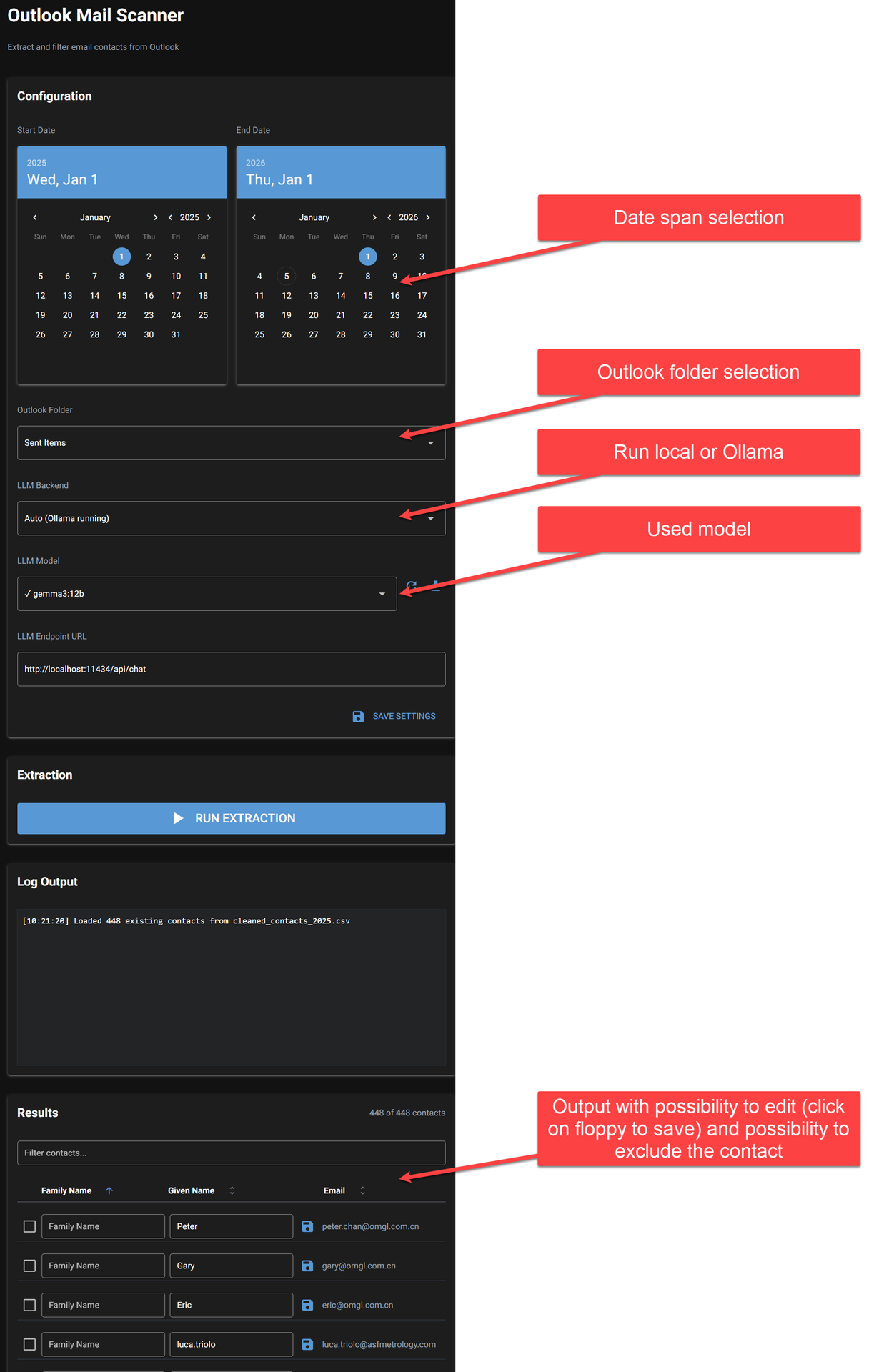
The next lists are created:
- all_contacts_2025.csv : everything
- excluded.csv : contacts that were checkmarked
- filtered_out_contacts_2025.csv : contacts that are not persons, like info etc...
- cleaned_contacts_2025.csv : actual output list
Working of program
This information can be found in the readme.md file.
Create mail list in Odoo
Go to Email Marketing -> Mailing List contacts -> New, clicko on the cog and import, upload, test and import:
D:\OutlookMailScanner\cleaned_contacts_2025.csv
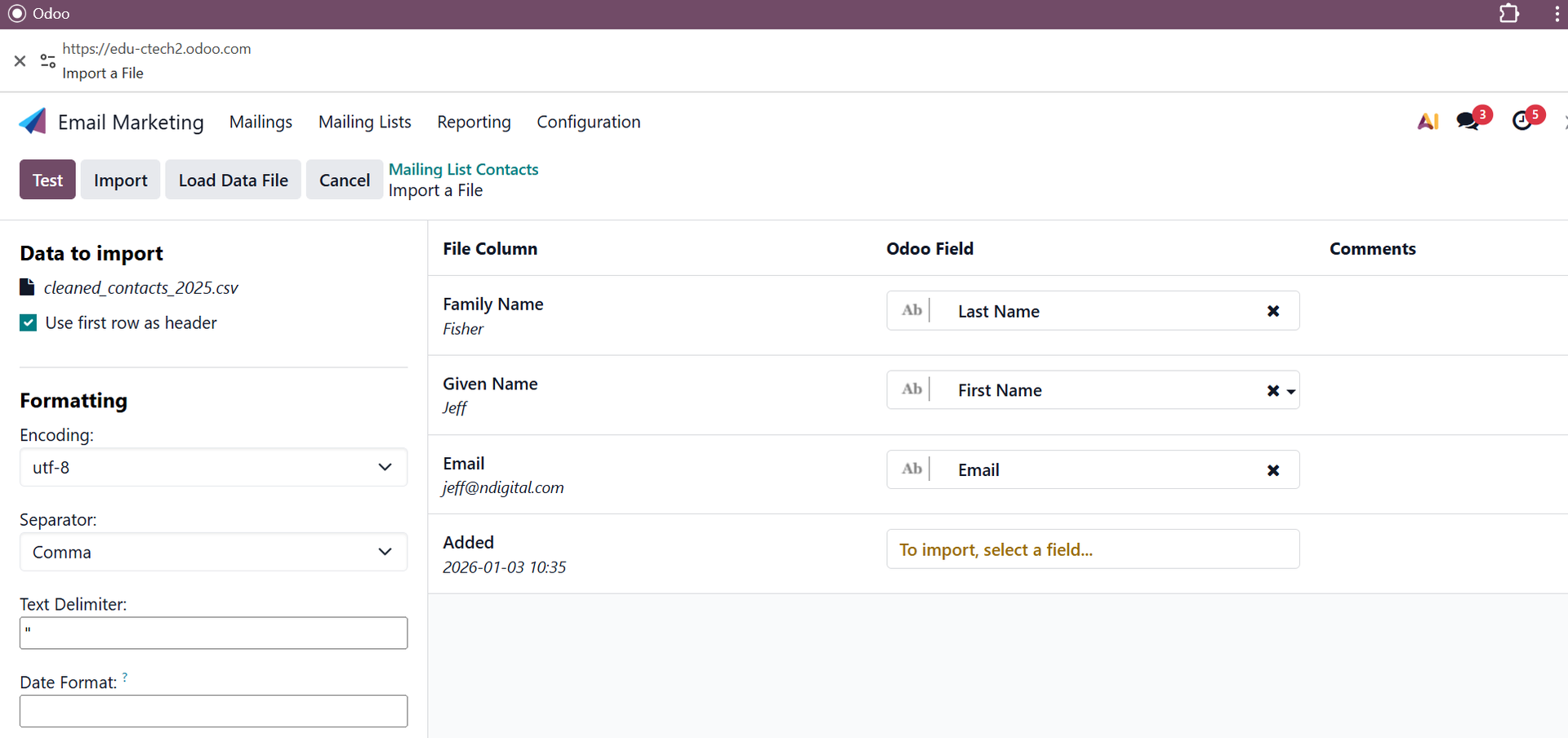
In 2026 we had 448 records like this.
Creating the message
In email marketing click on Mailings and new, or take an existing one and duplicate.
Editing is a bit like website editing with a few more limitations.
To add the start with Dear ... : type /dynamic place holder
Once finish click on Send or schedule.
Note that standard Odoo will only allow to send 200 mails per day, so if you have more, then you need to click Retry
Evaluation
This gives a list with information on when and how many clicks, it is the best overview.
Maintain the mailing list
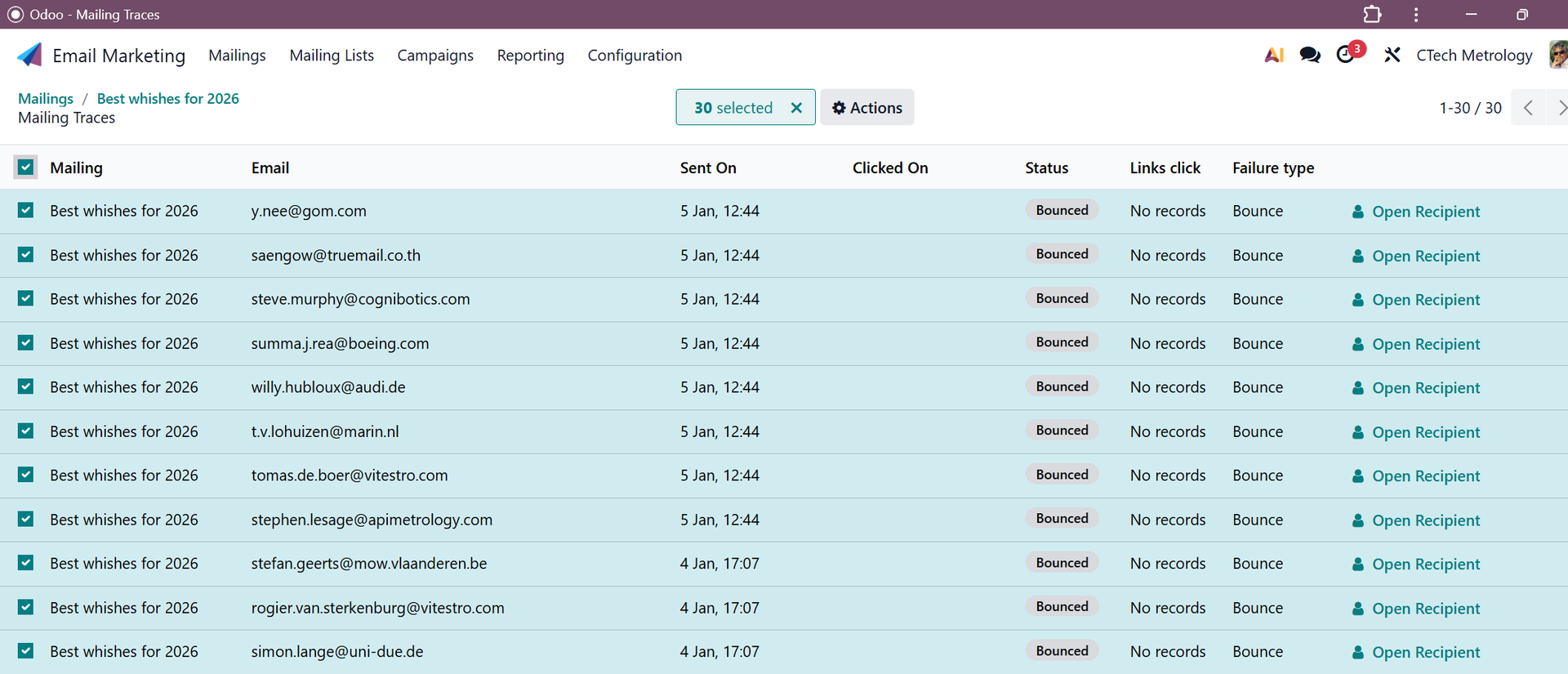
Once a list has been made, you can manually filter the bounced contacts and delete the and by reusing the OutlookMailScanner, you can add each year new contacts. The OutlookMailScanner program will actually do an update itself by not changing existing records, since these may have been edited manually.